How to Automate Content Creation (Without Losing Your Voice)
You're spending 10+ hours a week creating social media content. Between brainstorming captions, designing graphics, and recording videos, you barely have time to run your actual business. There's got to be a better way — and there is.
Automated content creation isn't about replacing yourself with robots. It's about leveraging AI to handle the heavy lifting while you focus on strategy and growth. Let's break down exactly how to automate your content creation workflow — from text to images to video — without sacrificing quality or authenticity.
The Problem: Content Creation Eats Your Time
Here's what most founders face: you know you need consistent social media presence. You've read all the advice about posting daily across multiple platforms. But between writing captions, creating visuals, and actually scheduling posts, you're burning hours every single week.
The math doesn't lie. If you're creating 5 posts per week across 3 platforms, that's 15 pieces of content. At 30 minutes per post (writing, designing, formatting), you're investing 7.5 hours weekly. That's nearly a full workday gone.
And when you skip it? Your audience forgets you exist. Your competitors stay top of mind. Your growth stalls.
The Solution: Smart Automation With Human Oversight
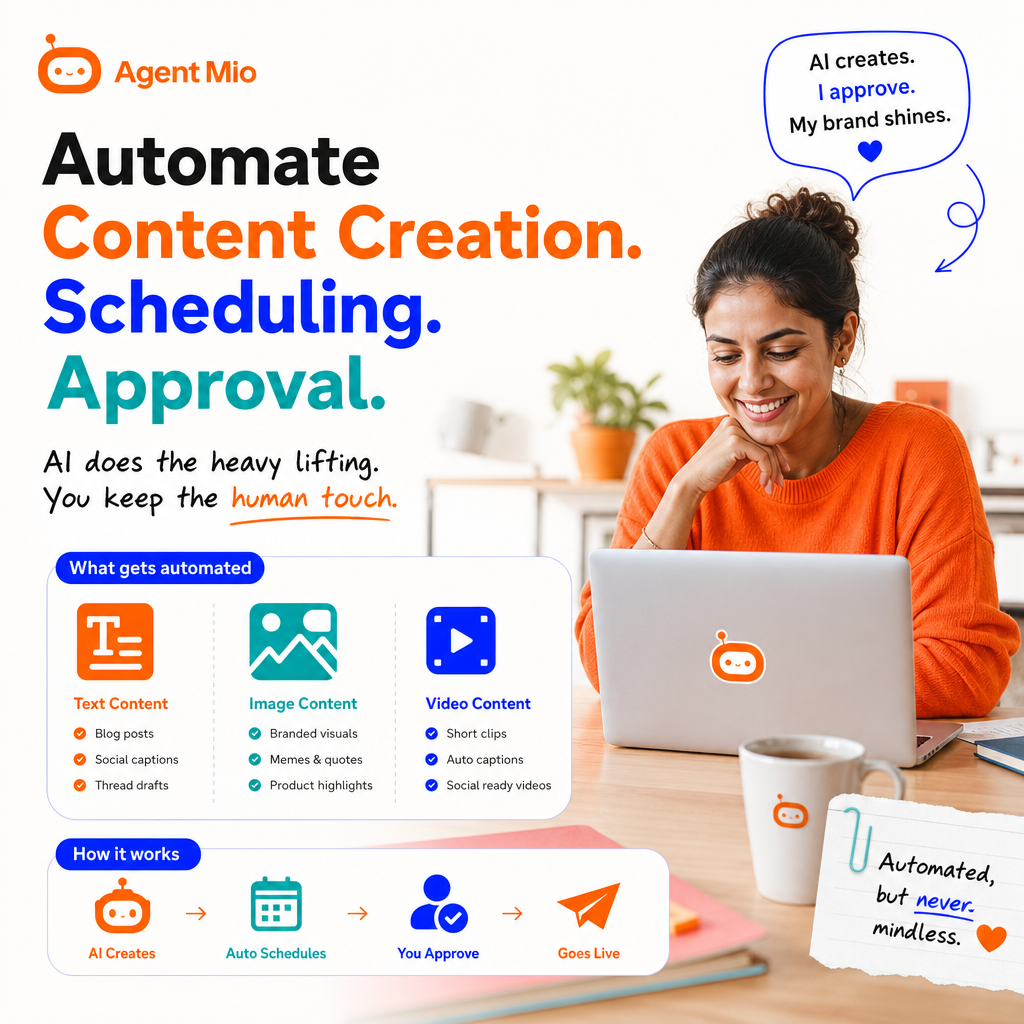
Automated content creation means using AI agents and tools to generate drafts, designs, and ideas — then you review, approve, and schedule. You stay in control. You maintain your brand voice. But you reclaim those 7+ hours every week.
The key is the human-in-the-loop approach. AI creates. You curate. This balance gives you speed without losing authenticity.
How to Automate Text Content Creation
Text is where most automation journeys start — and for good reason. It's the foundation of every social post, blog update, and email campaign.
Step 1: Set Up Your Brand Voice Guidelines
Before automating anything, document your brand voice. Are you casual or professional? Do you use emojis? What topics do you cover? What phrases do you always (or never) use?
Feed these guidelines into your AI content system. The clearer your instructions, the better your automated drafts will match your actual voice.
Step 2: Create Content Templates
Build templates for your common post types:
- Product announcements with key features and benefits
- Educational tips that solve customer problems
- Behind-the-scenes updates that humanize your brand
- Customer testimonials and success stories
- Industry insights and trend commentary
Templates give AI a structure to follow, ensuring consistency across all your automated content.
Step 3: Generate Batches of Drafts
Use AI to create 10-20 post drafts at once based on your templates and current initiatives. This batch approach is far more efficient than creating one post at a time.
Review these drafts in a single focused session. Approve the winners, edit the maybes, and delete the misses. This is where your human judgment makes all the difference.
Step 4: Build Your Approval Queue
Never let AI post directly without review. Set up an approval workflow where:
- AI generates drafts and adds them to your review queue
- You receive a daily or weekly digest of pending posts
- You approve, edit, or reject each piece
- Approved content moves to your scheduling system
This human-in-the-loop process is non-negotiable. It protects your brand while maximizing efficiency.
Automating Image Content
Visual content drives 3x more engagement than text alone. But creating custom graphics for every post? That's another massive time drain you can automate.
AI-Powered Image Generation
Modern AI tools can create custom images based on text prompts. Describe what you need — "minimalist productivity workspace with coffee and laptop" or "abstract representation of business growth" — and generate multiple options.
Review the outputs, select the best match, and add your branding elements. This process takes minutes instead of hours in design software.
Template-Based Graphics
Create branded templates for quotes, statistics, tips, and announcements. Then automate the population of these templates with your content. Your AI system drops in the text, you verify it looks good, and it's ready to publish.
Automated Image Resizing
Different platforms need different dimensions. Instagram loves squares, Twitter prefers 2:1 ratios, Pinterest wants vertical formats. Automate the resizing so one design becomes platform-optimized versions instantly.
Video Content Automation
Video feels impossible to automate, but modern tools are changing that game entirely.
Text-to-Video Solutions
AI can now turn blog posts or scripts into short-form videos complete with voiceovers, stock footage, and captions. You provide the script, review the generated video, make tweaks, and approve for publishing.
Automated Video Repurposing
Record one long-form video (a tutorial, interview, or presentation). AI tools can automatically:
- Identify the best 30-60 second clips
- Add captions and subtitles
- Resize for different platforms (Reels, TikTok, YouTube Shorts)
- Generate thumbnail options
You review the clips, approve the keepers, and suddenly you have 10+ pieces of video content from one recording session.
AI Voiceovers and Avatars
Not comfortable on camera? AI voiceovers and digital avatars can present your content while you stay behind the scenes. The technology has reached the point where these feel natural, not robotic.
Automated Post Scheduling: The Final Piece
Creating content is only half the battle. Getting it published consistently across platforms is where most people fail. Automated scheduling solves this.
Cross-Platform Publishing
Write once, publish everywhere. Your scheduling system should automatically adapt your content for each platform's format and best practices. One approved post becomes:
- An Instagram carousel with hashtags
- A Twitter thread with optimal formatting
- A LinkedIn article with professional tone adjustments
- A Facebook post optimized for engagement
Optimal Timing Automation
Let AI analyze when your audience is most active and automatically schedule posts for maximum reach. No more guessing or trying to remember the best posting times for each platform.
Queue Management
Set up evergreen content queues that automatically fill gaps in your schedule. Have a library of timeless tips and insights that rotate through your feed, ensuring you never miss a day even when you're focused on other priorities.
Maintaining Quality With Human-in-the-Loop
The secret to successful content automation isn't removing yourself from the process — it's removing the tedious parts while keeping your strategic oversight.
Here's what you should always review:
- Accuracy: Does this information reflect reality?
- Brand alignment: Does this sound like us?
- Relevance: Is this timely and appropriate?
- Value: Will our audience actually care about this?
Set aside 30-60 minutes every few days for approval sessions. Review your queue, make quick edits, approve or reject, and you're done. That's a fraction of the time you'd spend creating everything from scratch.
How Agent Mio Brings It All Together
This is exactly why we built Agent Mio — AI agents handle the drafting of text, images, and even video concepts. Everything flows into an approval queue where you review and greenlight content. Once approved, it automatically publishes across all your channels at optimal times.
No juggling multiple tools. No remembering to post. No spending entire days on content creation. Just efficient, brand-aligned content that keeps your audience engaged while you focus on building your business.
Your Next Steps
Start with one content type. If you're most comfortable with text, automate your written posts first. Get that workflow smooth, then add image automation, then video.
Build your approval habit. Set a recurring calendar block for content review. Make it as routine as checking email.
Track your time savings. Note how many hours you spent on content creation last week versus this week. The difference is your new competitive advantage.
Automation isn't about doing less — it's about achieving more with the time you have. Your content creation workflow should amplify your voice, not drain your energy. ✨
Ready to automate your social media content creation? Try Agent Mio free and reclaim 10+ hours every week.
#AgentMio #AIContentCreation #SocialMediaManagement #BuilderTools #AIAutomation #SoloBuilder #ContentMarketing #GrowthHacking