White Label Client Onboarding: The 1-Hour Checklist for Social Media Agencies
Onboard new social media clients in under an hour with this step-by-step white label checklist for agencies. Set the right tone from day one.

By AgentMio team Published · 7 min read
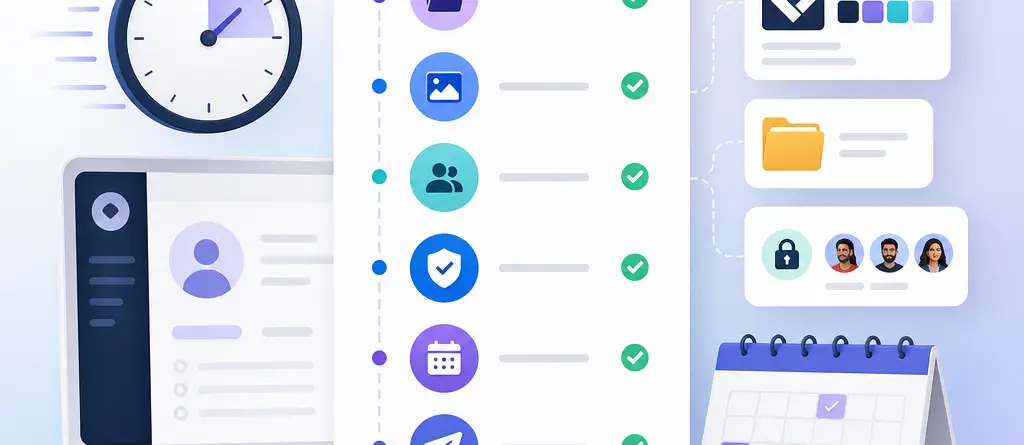
White label client onboarding is the process of setting up a new social media client under your agency's branded portal, covering asset collection, access permissions, and first-week approvals. Done right, it takes under an hour and sets the tone for the entire relationship. This checklist walks you through the exact steps, in order, with no guesswork.
Why Does Onboarding Speed Matter for a Social Media Agency?
Onboarding speed matters because the first hour with a new client shapes how much they trust your process for the next twelve months. A slow, scattered start — missing login details, confusing email chains, unclear timelines — signals disorganization before you've posted a single piece of content.
A fast, structured agency client portal setup does the opposite. It shows the client you run a tight operation, and it gets you to your first published post days sooner. Agencies that standardize this step stop reinventing the wheel for every new account and start treating onboarding as a repeatable system.
What Do You Need Before You Start Onboarding a New Client?
Before you open a single portal or send a single form, make sure you have these four things ready. Skipping prep is the most common reason onboarding calls run long.
A white-label client portal or dashboard — branded with your agency's name and logo, not a third-party tool's.
A standardized intake form — one link you reuse for every client, not a custom email every time.
30-45 minutes of uninterrupted time — onboarding works best as one focused session, not three fragmented ones.
A content approval workflow already built — so the client has somewhere to react the moment drafts are ready.
Step 1: Send a Pre-Onboarding Intake Form
Send your intake form at least 24 hours before your kickoff call so the client arrives with information already gathered instead of guessing on the spot. The form should ask for brand colors, logo files, tone-of-voice notes, competitor handles, and existing platform logins.
For example, a boutique agency onboarding a local restaurant client might ask for photo libraries, menu PDFs, and any past Instagram captions they liked. This single step removes most of the back-and-forth that normally eats up day one.
Keep the form to 8-10 fields. Anything longer and clients abandon it halfway through.
Step 2: Create the Client's Branded Portal Space
A branded client portal is a dedicated workspace inside your platform that carries your agency's logo, colors, and domain instead of a generic tool interface. Creating one takes minutes if your platform supports it natively, and it's the single biggest factor in how "professional" your agency feels to a new client.
Name the workspace clearly — client name, not a project code only your team understands. Upload their logo and brand colors immediately so the first screen they see already looks like it belongs to them, not to you.
Step 3: Collect Brand Assets in One Centralized Folder
Brand asset collection means gathering logos, fonts, photography, brand guidelines, and past high-performing content into one location before any content creation begins. Scattered assets across email threads and old Google Drive links are the single biggest cause of delayed first posts.
Create one folder structure — Logos, Photos, Brand Guidelines, Approved Captions — and ask the client to drop files directly into your portal rather than emailing attachments. If they don't have formal brand guidelines, a 10-minute call to capture tone, do's, and don'ts is enough to get started.
Step 4: Set Role-Based Access Permissions
Role-based access control lets you decide exactly what each person can see or do inside the client's workspace — some team members can post, others can only view drafts, and the client can only approve or request edits. This matters because clients rarely want full admin access, and your junior team members shouldn't have publishing rights on day one.
A typical setup looks like this:
Client stakeholder: view and approve/reject drafts only
Account manager: full edit and scheduling access
Content creator: draft and upload, no publish rights
Setting this up correctly once prevents awkward permission conversations three weeks into the engagement.
Step 5: Connect Social Platforms and Verify Logins
Connecting the client's social accounts — Instagram, LinkedIn, TikTok, Facebook, X — should happen inside the portal itself, not through separate password spreadsheets. Verify each connection posts correctly with a test draft before you consider this step done.
If a client manages accounts in more than one language or operates multiple brand pages, confirm this during connection, not after your team has already started drafting content in the wrong language or voice.
Step 6: Build the First Week's Content Calendar Together
A first-week content calendar gives the client a concrete preview of what's coming rather than an abstract promise of "great content soon." Draft 3-5 posts live during or right after your kickoff call, using the brand assets and tone notes you just collected.
This is also where a client onboarding workflow 2026 differs most from older approaches: instead of a designer manually mocking up sample posts over several days, AI-assisted drafting tools can generate on-brand drafts in minutes, so the client reacts to real content in the same session they signed the contract.
Step 7: Walk the Client Through the Approval Process
The approval process is the sequence a draft goes through from creation to publish — and the client needs to see exactly where they fit into it. Show them, live, how to approve, comment, or request a revision inside the portal.
Don't assume this is intuitive. A 5-minute screen share where you click "approve" on a real draft together prevents a week of confused emails asking "where do I actually respond to this?"
Step 8: Confirm Reporting Cadence and Next Touchpoint
Before ending the onboarding session, confirm when the client will next hear from you — a weekly check-in, a monthly report, or both. This isn't the reporting itself; it's simply setting the expectation so there's no silence after a strong first impression.
Put the date on the calendar in front of them. An agreed next touchpoint is what turns a good first hour into a trusted first month.
What Are the Most Common Mistakes in Client Onboarding?
Most onboarding delays come from a small set of repeated mistakes, not from genuinely complex clients. Watch for these:
Using a generic, unbranded portal — clients notice immediately when the workspace doesn't carry your agency's identity.
Requesting assets piecemeal over email — instead of one intake form, this creates five separate threads to track.
Giving every stakeholder full admin access — this leads to accidental publishing or conflicting edits.
Skipping the live approval walkthrough — assuming clients will "figure it out" wastes their first week.
Delaying the first draft by days — momentum from a signed contract fades fast if nothing visible happens quickly.
Your Copy-Paste Onboarding Checklist
☐ Send intake form 24+ hours before kickoff
☐ Create branded client portal workspace
☐ Collect and organize brand assets into one folder
☐ Set role-based permissions for client, manager, and creator
☐ Connect and verify all social platforms
☐ Draft 3-5 first-week posts live
☐ Walk client through the approval workflow
☐ Confirm next touchpoint and reporting cadence
How Does AgentMio Fit Into a White-Label Onboarding Workflow?
AgentMio is an AI-powered social media management platform that gives marketing agencies a team of AI agents to manage multiple social media accounts, brands, and languages from one centralized dashboard. For onboarding specifically, agencies use AgentMio's Client Platform to spin up a branded workspace per client, set role-based access in minutes, and generate the first week of draft content with AI agents instead of starting from a blank page.
Because AgentMio supports multi-brand and multi-language management, agencies running client portfolios across different markets don't need separate tools for each account. Pricing starts with a free plan with pay-as-you-go options, with Starter at €14 and Pro at €36, so onboarding infrastructure doesn't require a large upfront commitment before a single client contract is signed.
FAQ
How long should social media client onboarding actually take?
A well-prepared onboarding session, from intake form to first draft content, can realistically be completed in under an hour if brand assets are collected in advance and the portal is pre-configured. Agencies that skip preparation often stretch this into several days of back-and-forth emails instead.
What is a white-label client portal?
A white-label client portal is a dashboard or workspace that displays an agency's own branding — logo, colors, and name — rather than the branding of the underlying software provider. Clients interact with the agency's identity throughout, which reinforces trust and professionalism.
What brand assets should I collect before onboarding a new client?
At minimum, collect logo files, brand colors, fonts, existing photography, any written brand guidelines, and examples of past content the client liked or disliked. If formal guidelines don't exist, a short call to capture tone and preferences is enough to move forward.
How do I set up access permissions for a new client?
Assign roles based on function: give the client stakeholder view-and-approve access only, give account managers full edit and scheduling rights, and give content creators drafting access without publish permissions. This structure prevents accidental publishing and keeps approval authority with the right person.
Why should I show a client draft content during the first onboarding call?
Showing draft content during onboarding gives the client tangible proof of direction instead of a verbal promise, which builds confidence immediately after signing. It also surfaces tone or style misalignments early, while they're easy to correct, rather than after a full week of content has already been planned.
Ready to onboard your next client in under an hour? Try AgentMio free and set up a branded client portal, collect assets, and draft your first week of content — all in one session.